Scores are recommendations with reasons, not decisions. A human reviews and decides who moves forward. Edjobster ranks and explains, it doesn't make the hire.
Before you start
At least one job with applicants, pulled in by a connector (your inbox, a Google Sheet, or Zoho Recruit).
Screening credits available in your workspace (one credit screens one candidate).
Setup steps
1
Open the job
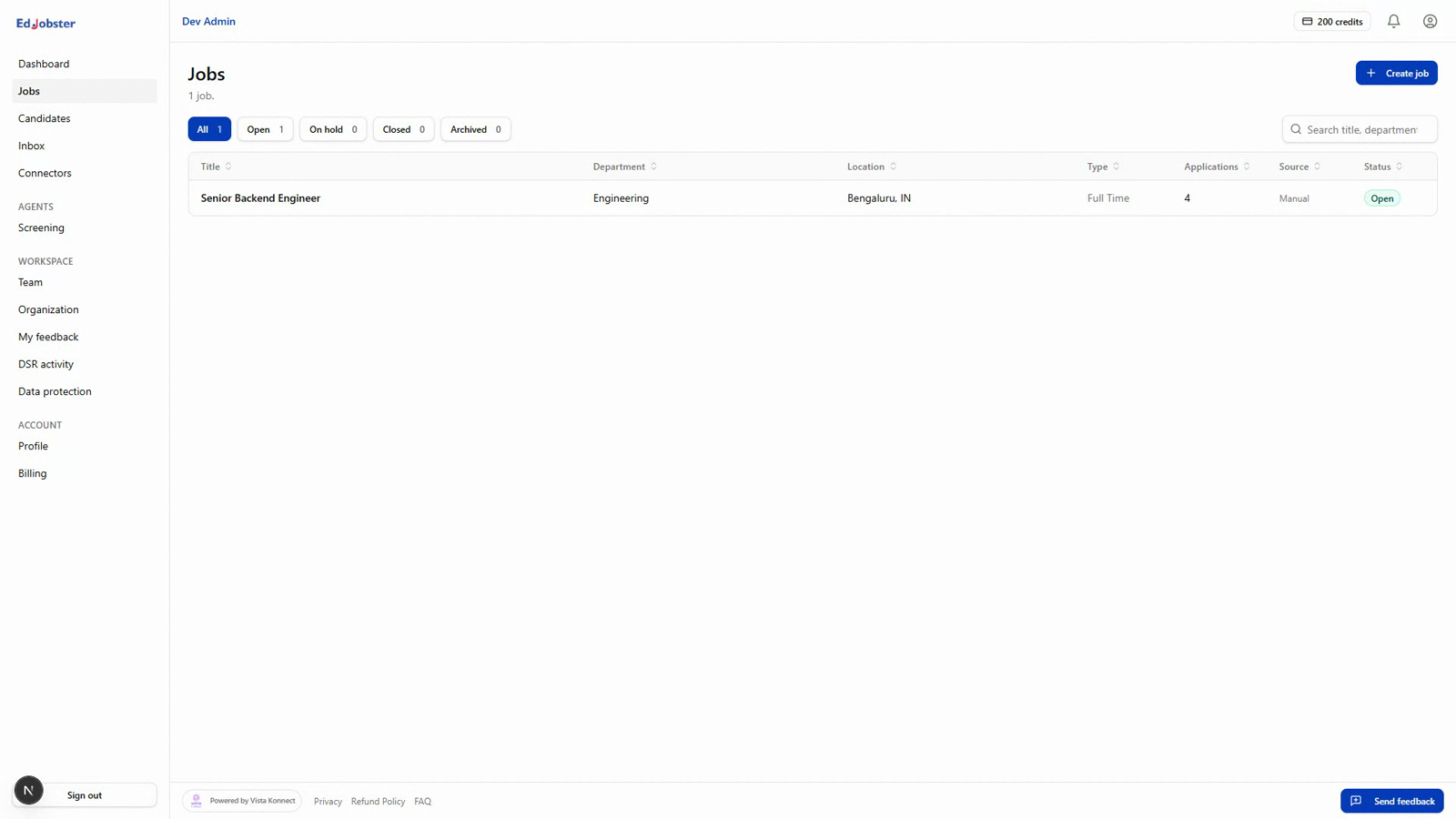
Go to Jobs and select the role you want to screen for.
2
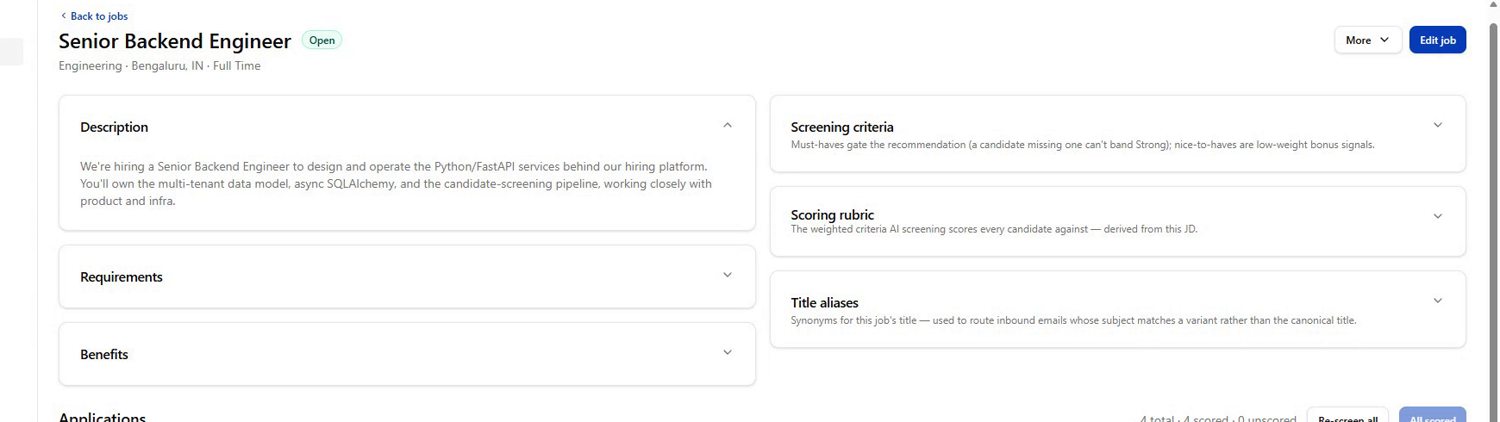
Check the screening criteria
Each job has a rubric of must-have and nice-to-have criteria derived from its description. Review it and adjust if anything is off. Good criteria make for good scores.
3
Run screening
Select the applicants you want to screen and click Screen (or Screen all). Each candidate costs one credit.
4
Let it run
Candidates move through screening one by one. You're only charged for screenings that complete, so a blip never costs you a credit.
5
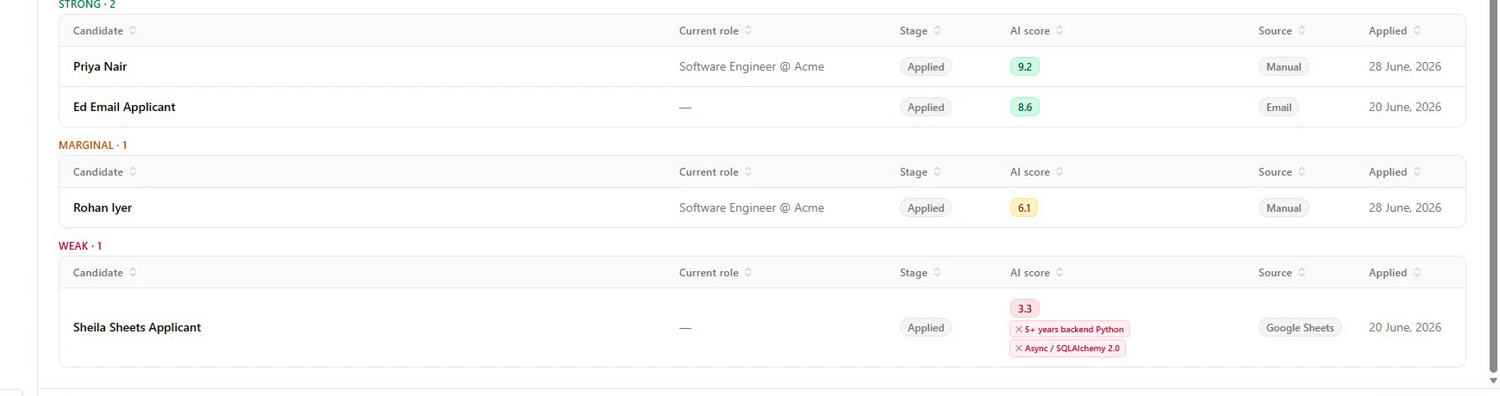
Read the results
Each candidate lands in a band with a breakdown of which must-have and nice-to-have criteria they meet, plus a short written reason. Bands are capped when a must-have is missing, so a polished CV can't outrank a genuinely qualified one.
6
Re-run anything that failed
If a candidate couldn't be screened, fix the cause (see Troubleshooting) and re-run just the failures.
Verify it worked
You have a ranked shortlist: candidates sorted into bands, each with the criteria they met and a written reason you can act on.
Troubleshooting
Some candidates failed to screen.
Open the candidate to see the reason. The common ones: your workspace ran out of credits mid-run (top up and re-run the failures), the job description was too thin to derive criteria from (add must-have requirements and retry), or a temporary capacity blip (retry: you're only charged for completed screenings).
A candidate has no score and a “needs a CV” note.
Screening needs resume text. If the application arrived by email, promote it with its attachment first so the CV is on file, then re-screen.