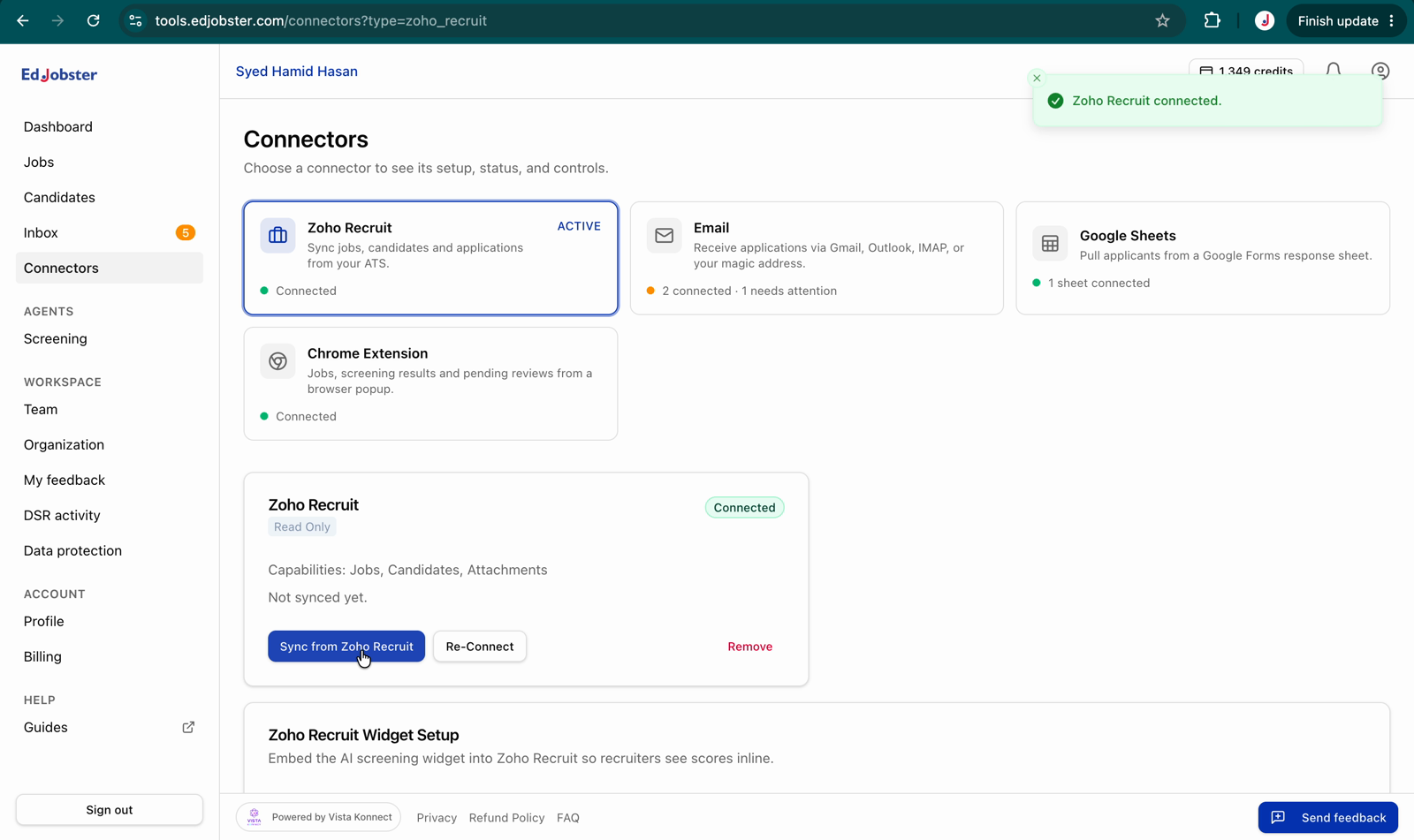
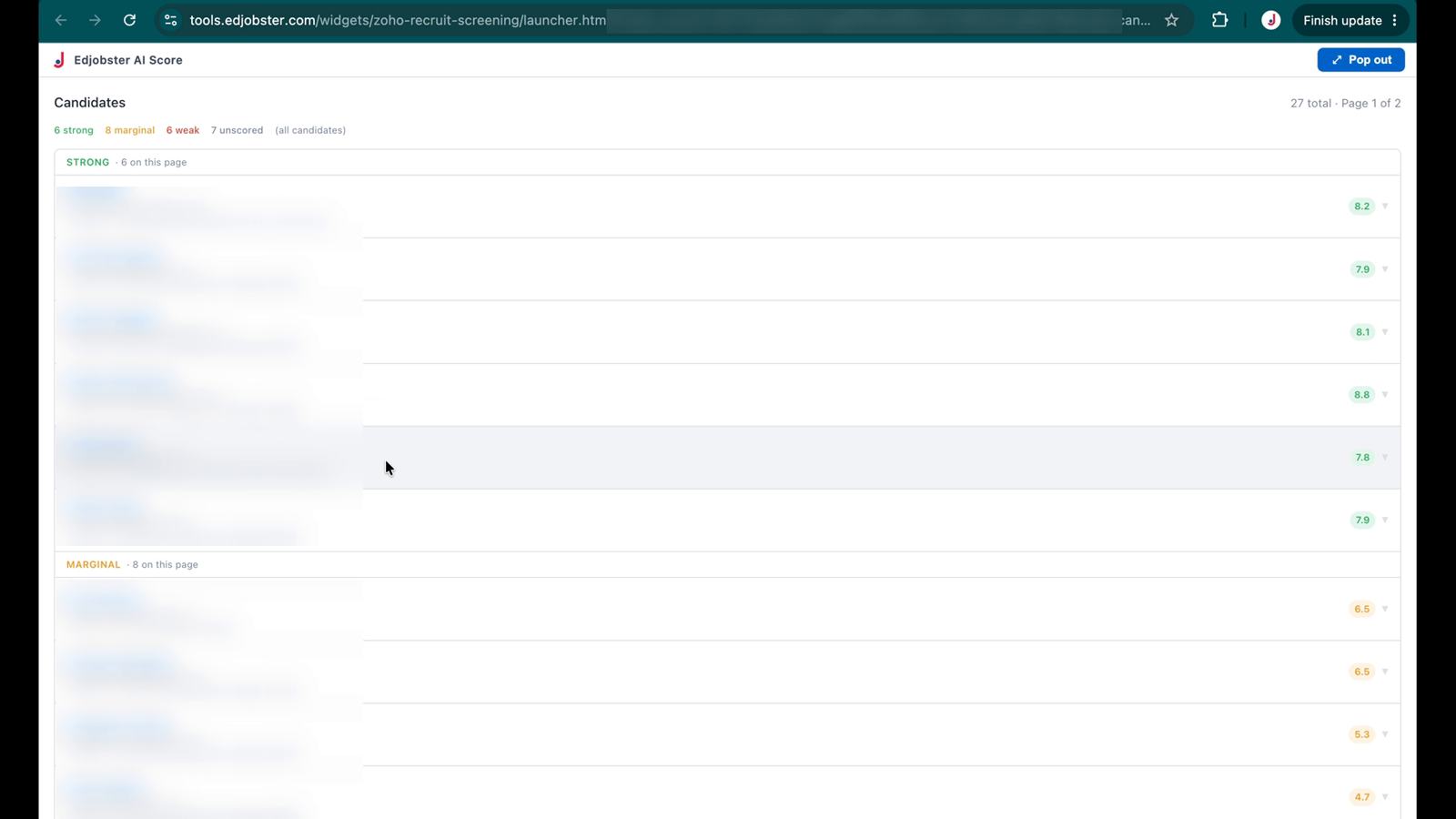
The widget is read-only. It shows Edjobster's score inside Zoho. It doesn't write anything back to Zoho Recruit.
Before you start
The Zoho Recruit connector is already connected in Edjobster and at least one sync has completed.
Zoho Recruit Standard tier or above, and administrator access to your Zoho Recruit org (for Setup customisation).
A plan that includes the Zoho ATS connector (Growth or Scale).
Setup steps
1
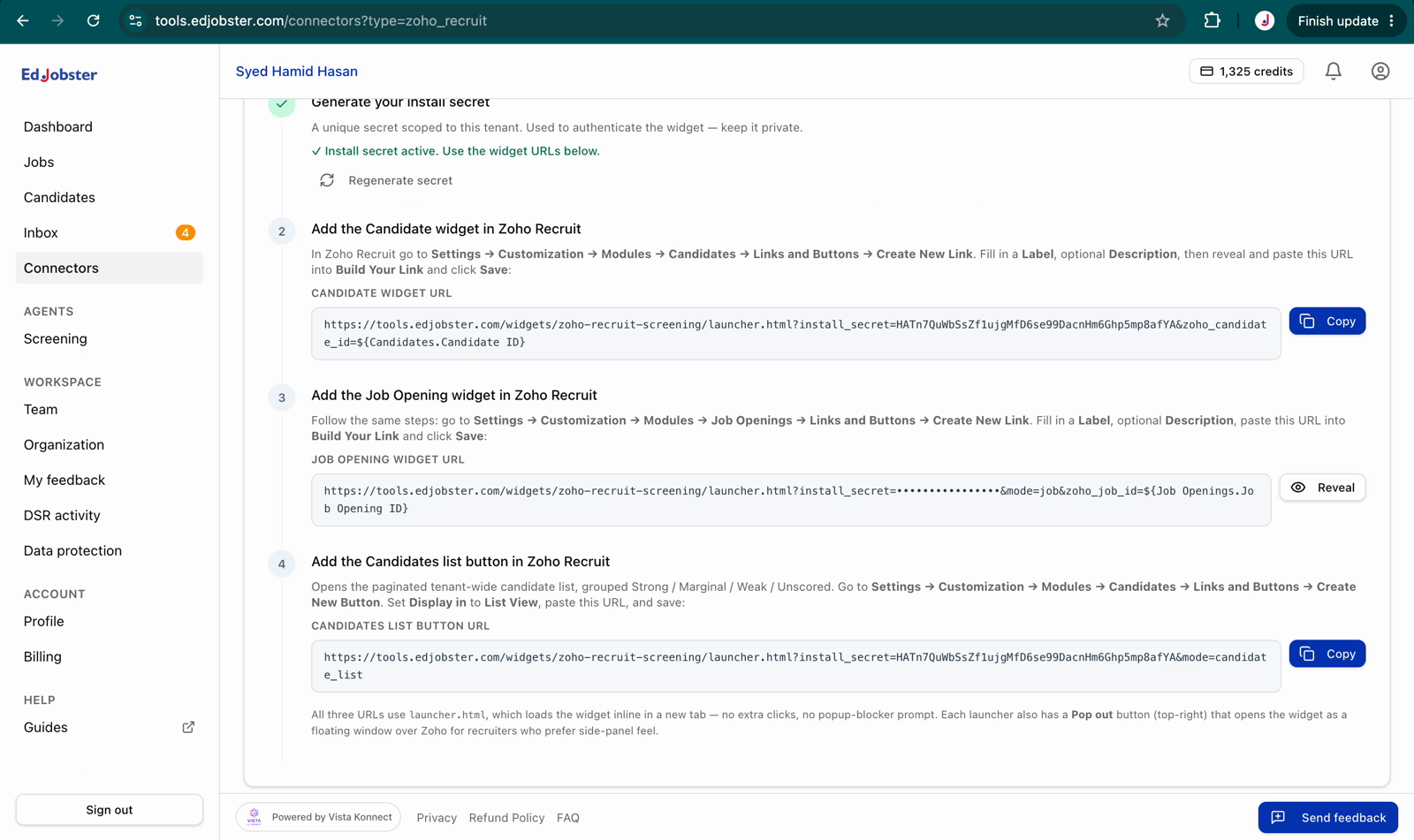
Generate the install secret in Edjobster
In Edjobster, open Connectors and find the Zoho Recruit Embedded Widget card. Click Generate install secret, copy it, and store it in your password manager. It isn't shown again.
2
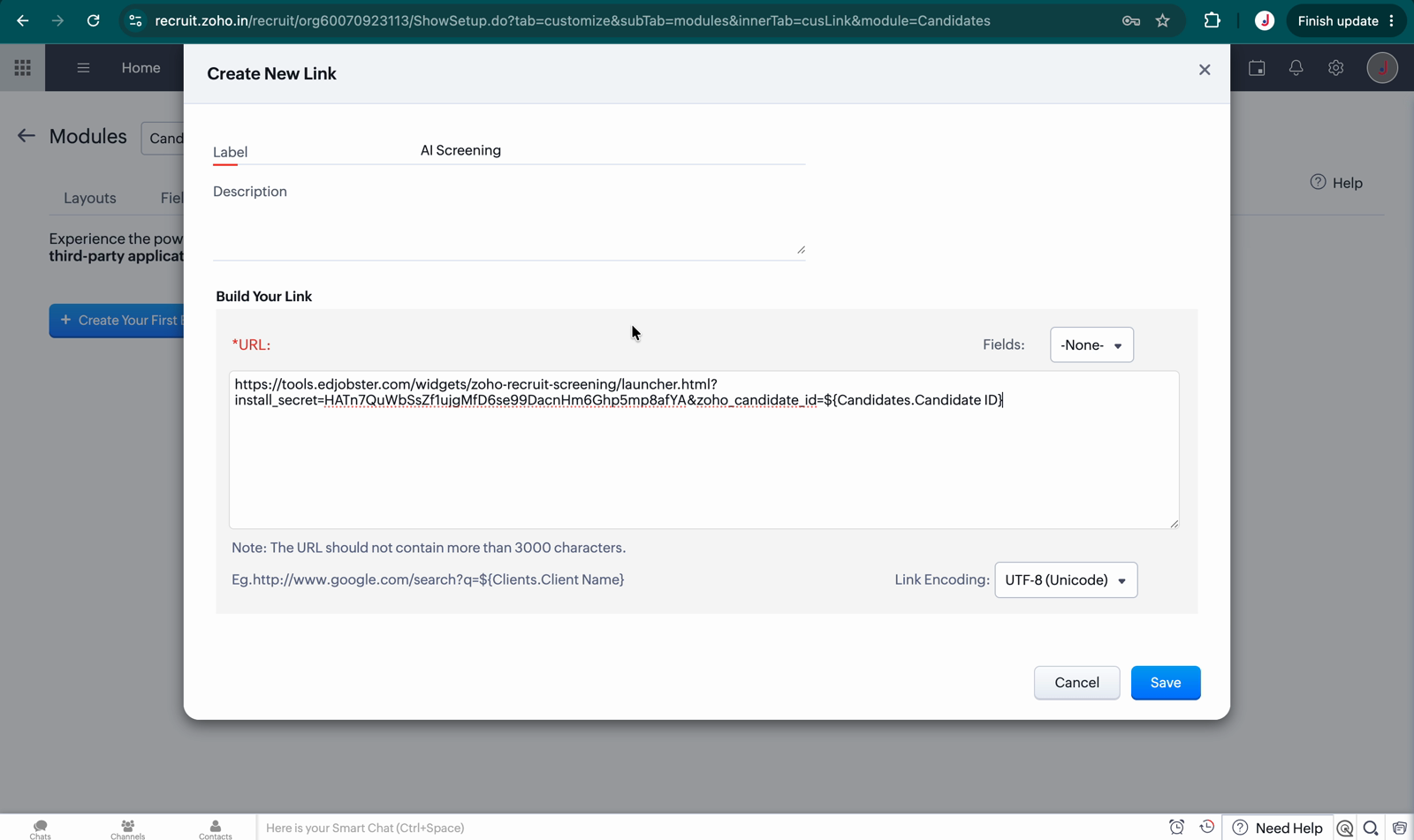
Create the candidate link in Zoho Recruit
In Zoho Recruit, go to Setup → Customization → Modules → Candidates, open the Links and Buttons tab, and click New Link. Label it Edjobster AI Score and paste the launcher URL from the widget card (it carries your install secret and the candidate email merge field), then save.
The exact URL to paste is shown on the widget card in Edjobster. Copy it from there rather than typing it, so the secret and merge field are exactly right.
3
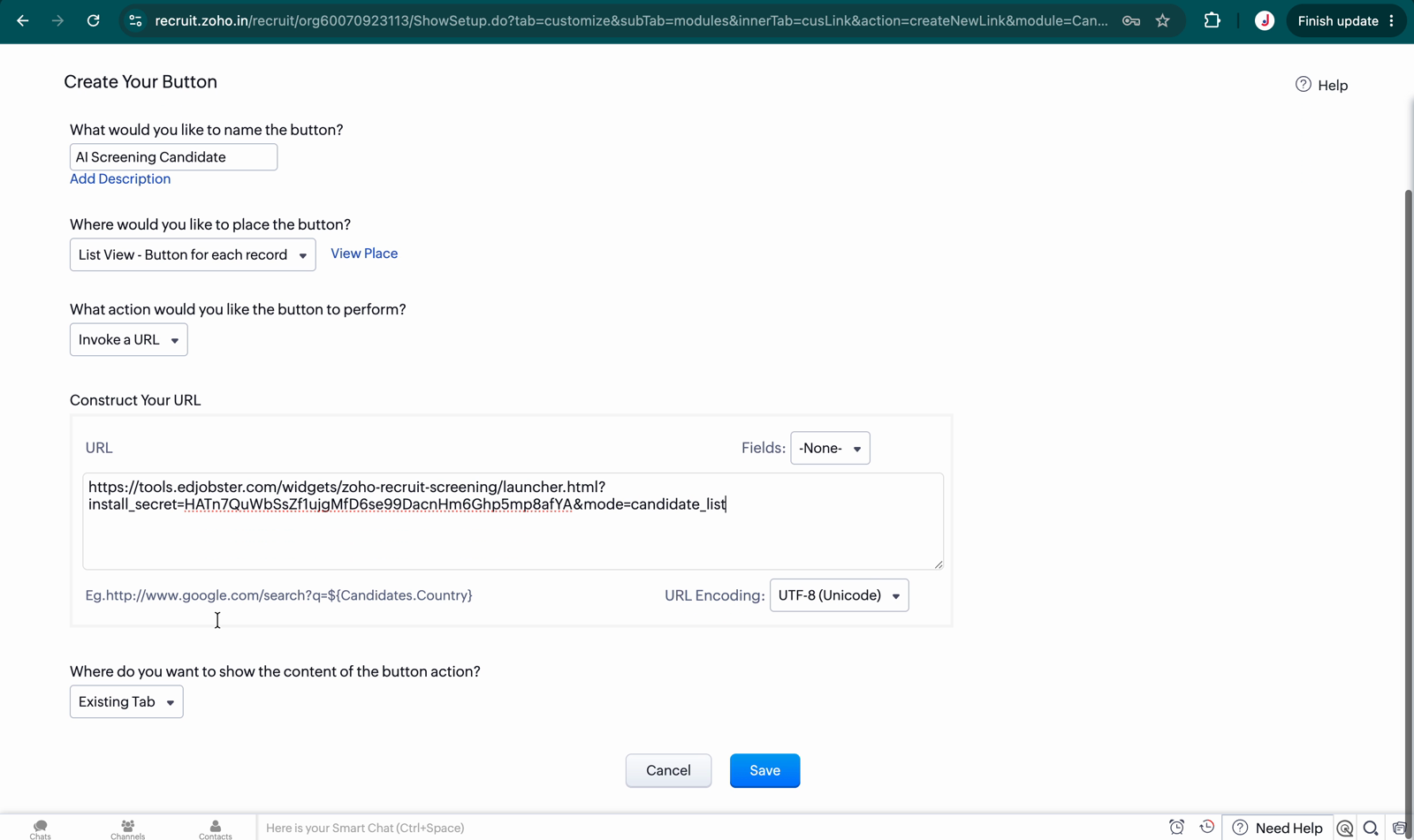
(Optional) Add the candidate-list button
To open the full candidate list grouped by band from Zoho's Candidates list view, add a New Button in the same Links and Buttons tab using the list URL from the widget card.
4
Run a sync
Back in Edjobster, open Connectors and click Sync on the Zoho Recruit connector so your candidates are present before you test.
5
Open a candidate in Zoho
On any candidate's detail page in Zoho Recruit, click the Edjobster AI Score link. The screening panel opens in a new tab.
Verify it worked
Open any candidate in Zoho Recruit and you see an Edjobster AI Score link in the Links section. For a scored candidate it shows the score, summary, strengths, and risks. For an unscored one it shows a Run screening button.
Troubleshooting
“This widget isn't set up yet” or “This widget's connection has been reset”.
The link URL is missing or has the wrong secret. Regenerate the secret on the widget card, copy the fresh launcher URL, and paste it back into the Zoho link.
“Candidate not synced yet”.
The candidate exists in Zoho but hasn't synced to Edjobster, or their Zoho email doesn't match what was synced. Run a sync from the Connectors page and retry. If it persists, confirm the candidate has an email in Zoho.
The panel is blank or shows a network error.
Confirm your Edjobster host is reachable from the recruiter's browser and that the full launcher URL (including the secret) was pasted into the link.